Using the editor
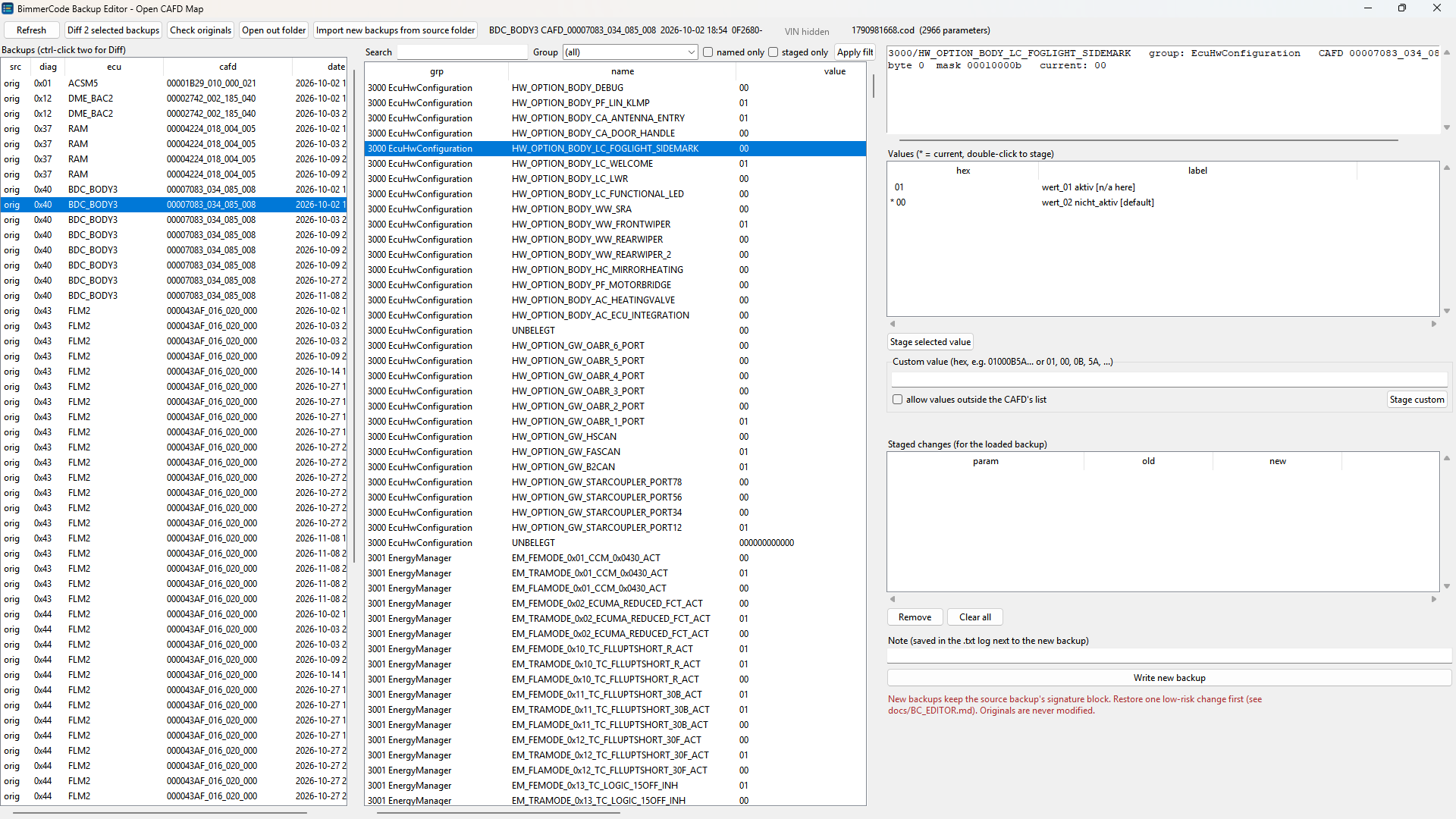
- Pick a backup on the left. Use the newest one for the ECU you want to change.
- Find the parameter with Search, Group, or "named only".
- The details pane shows its position, mask, description and every value (
*= current). - Long values (light curves, staging data) can be side-scrolled.
- The details pane shows its position, mask, description and every value (
- Double-click a value (or press "Stage selected value") to stage it.
- A custom hex value needs "allow custom". It must have exactly the parameter's byte length; it's never padded.
- Staged rows turn yellow.
- Add a note, then press Write new backup. The new
.codgoes toout\and opens, so you can check it or stage more on top of it.
Ctrl-click two backups and press Diff to see exactly which parameters differ.
New files are named like BimmerCode's (<ECU>-<VIN>-<current unix time>.cod), so they show up as the newest backup
for that ECU. Copy them to BimmerCode's backup folder on the phone and restore them in BimmerCode like any backup,
after reading Before you restore.
What the editor guarantees
- The new
.codis a byte copy of the source backup with only the edited coding bytes changed: same size, same plist structure, VIN, ECU and CAFD ids. Every write is re-read and checked, and discarded if anything else changed. - Bit fields are edited bit-exactly (other bits in the same byte are kept).
- Multi-CAFD ECUs (BDC, ACSM, ...) are handled: every CAFD listed in the backup is used.
- SYSTEM datagroups (the NCD signature) can't be edited.
originals\is never written.